
Removing the PTS2Updated a month ago
- You may sometimes need to remove the screen from the bike to charge it or when transporting the bike.
- To do this, carefully remove the data cable by pulling down on the black plastic head and move the cable out of the way.
- Use a 2.5mm Allen Key to remove the 4 screws on back of the dongle.
- Remove the 4 screws carefully. Hold the screen so it doesn’t fall off.
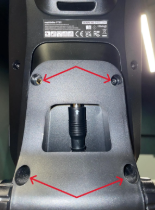
- Once the screws are removed, carefully lift the screen off the mount, away from the front of the bike.
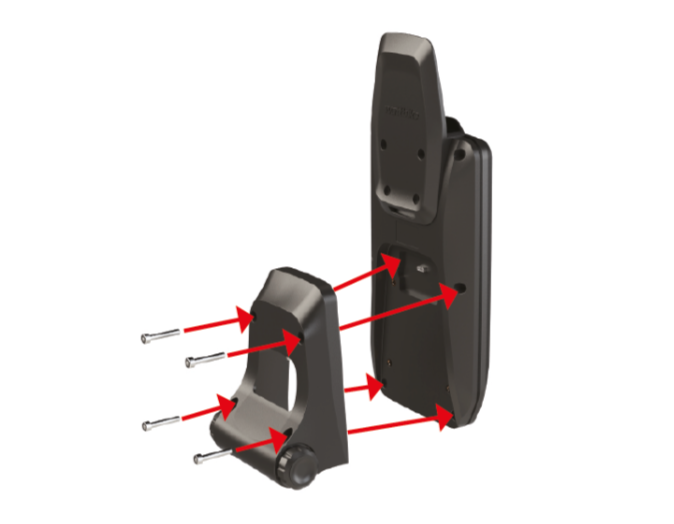
- Reverse this process to replace the screen. Ensure the socket dongle is fitted securely to the screen with the 4 screws and is not flexing or wobbling. Screws should be tightened evenly. If any screws are missing, contact Wattbike customer service for replacements.
- When replacing the data cable, ensure the white arrow is facing you and push it firmly upwards to ensure it’s fitted securely.