
Pairing the shifters on the Wattbike ProtonUpdated a month ago
Sometimes you may need to pair the shifters on your Wattbike Proton.
If you have followed the instructions below and cannot get the shifter to pair, you may need to replace the battery within the shifter. To do this please follow the instructions on the article How do I change the shifter batteries on my Wattbike Proton
To avoid any possible Bluetooth connectivity issues, disconnect any other BLE devices before beginning this process, e.g. your Heart Rate Monitor.
How to pair your shifters:
iOS Device
- Make sure Bluetooth is enabled on your phone or tablet
- Make sure your Wattbike is plugged in and turned on
- Open the Wattbike Hub app
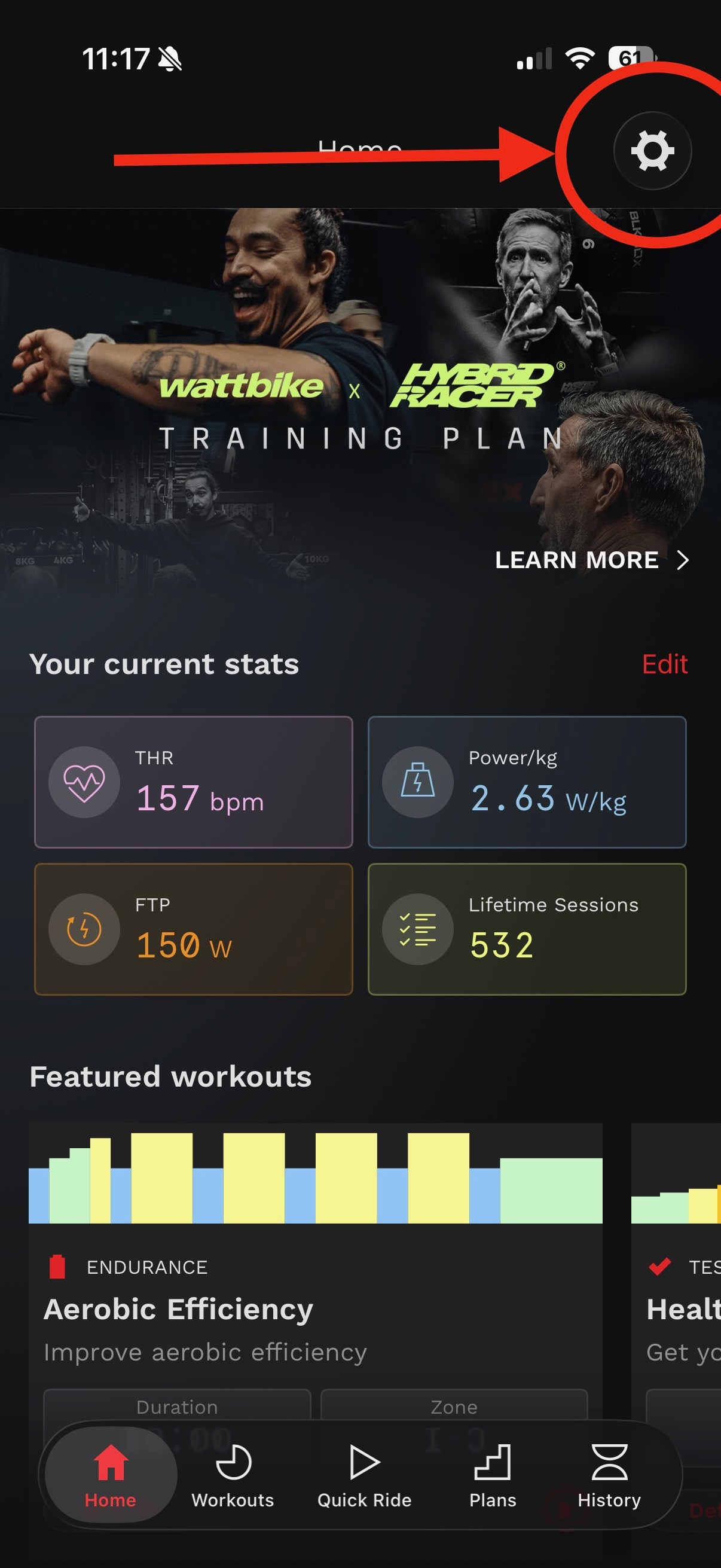
- Go to the 'Settings' cog at the top of the screen, then select 'Known Wattbikes'. If you are new to the Wattbike, ensure you have connected to the bike at least once and started a Quick Ride. End the ride and then continue with the process below.
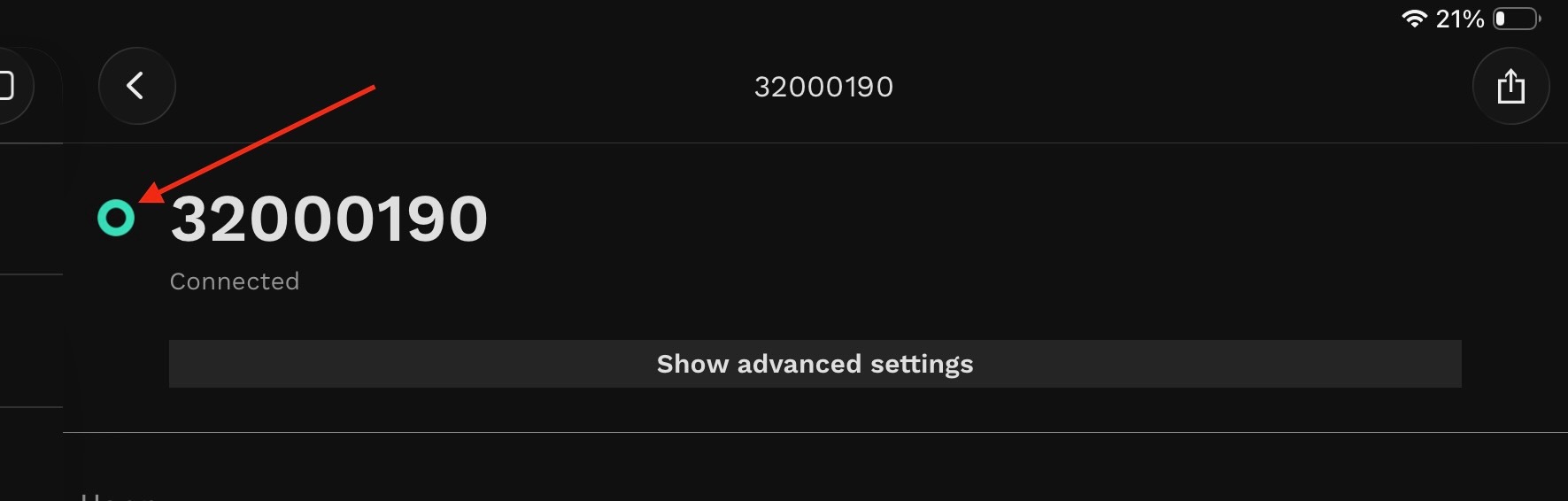
- Select the serial number of your Proton
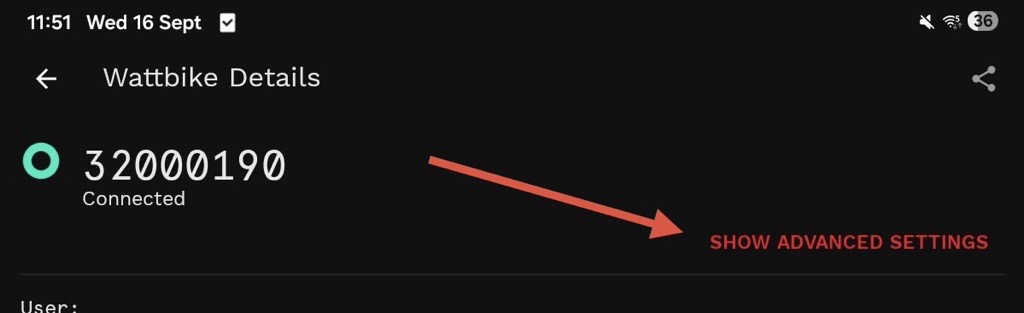
- After the app has connected to your Proton (after a few seconds the ring will turn green); click 'Show advanced settings'.
- The shifter status will show as follows:
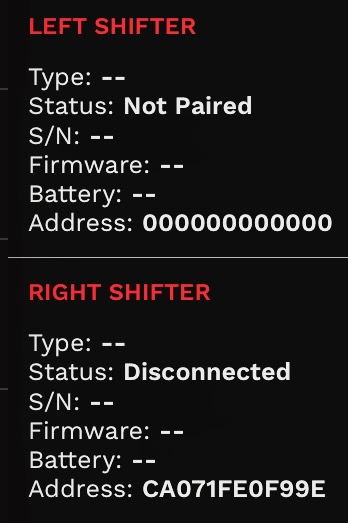
- Paired or Not Paired = this means shifters need pairing; Disconnected or Connected = this means the shifter is either awake or asleep. To wake them up, press any of the buttons.
- Type - this shows if the shifter controls the App or the resistance controls of the bike
- S/N - serial number of the shifter
- Firmware - the firmware installed on the shifter
- Battery - battery life on the shifter
- Address - MAC address for the shifter
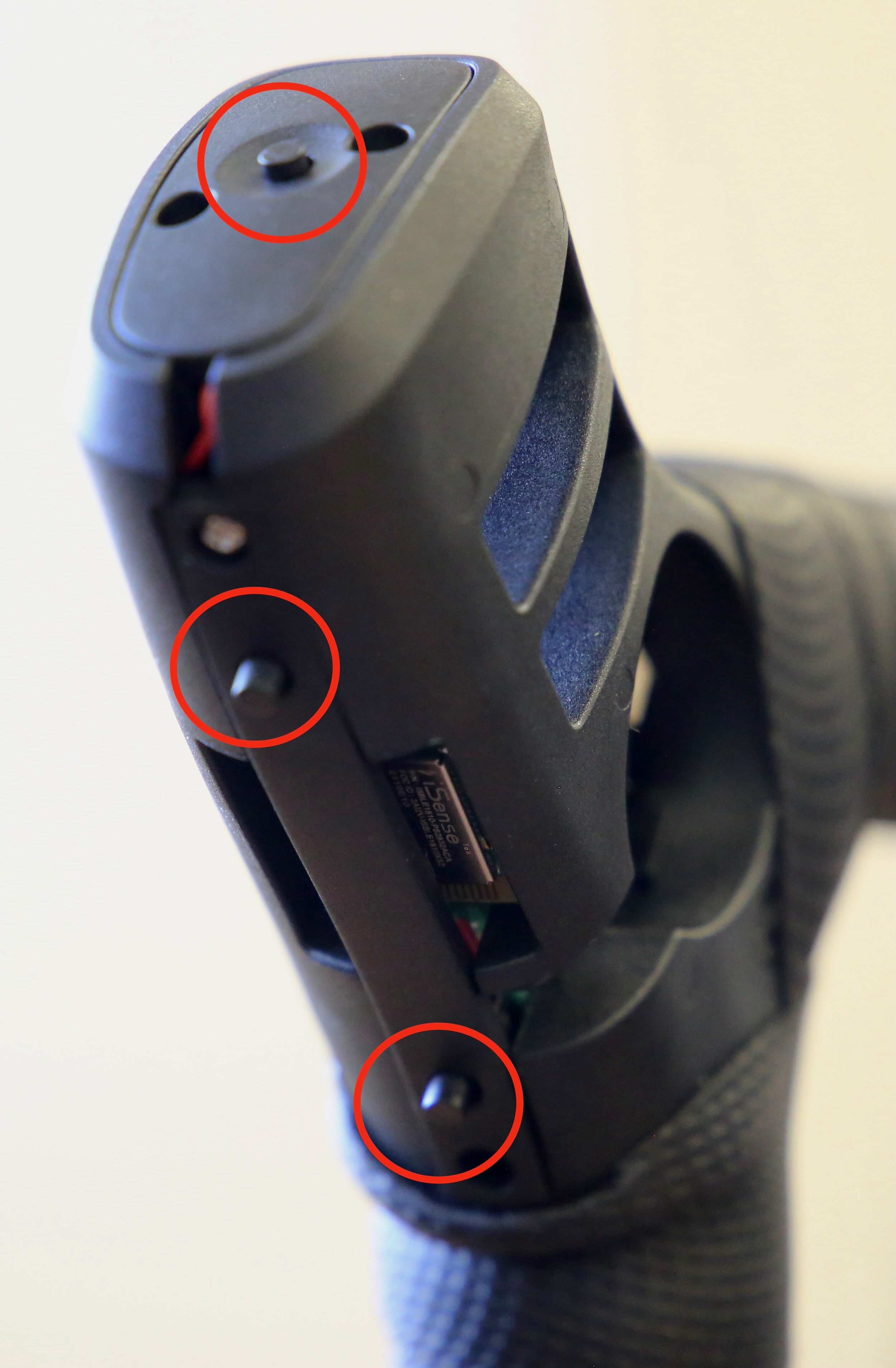
- Be ready to hold all three buttons of your shifter down - see picture below:
- Click 'Pair New (Right or Left) Shifter' for the shifter you want to pair (only pair one shifter at a time)
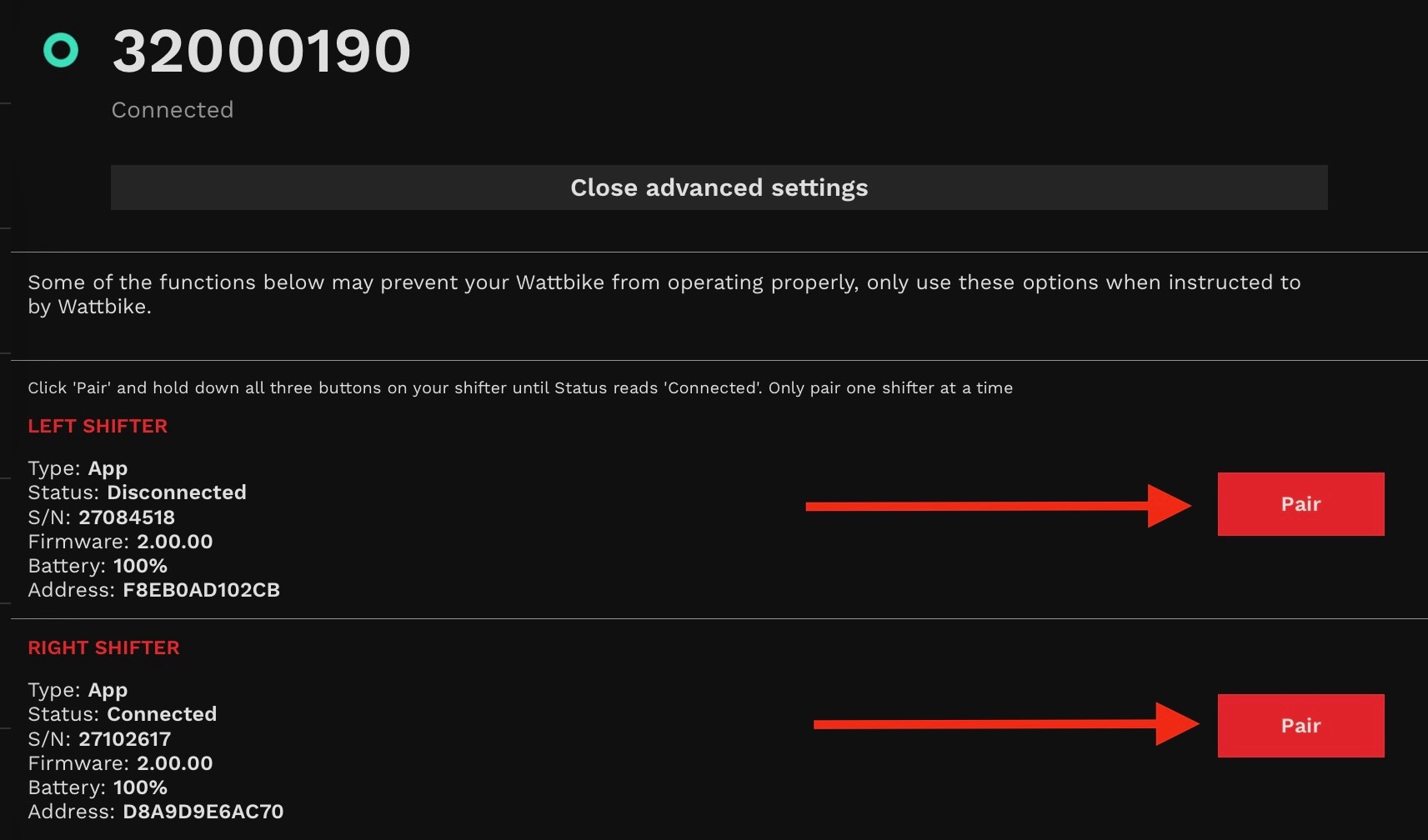
- Hold down all 3 buttons on the shifter for 20 seconds - you can remove the shifter hood to complete this more easily.
- No pop-up notification will be displayed on screen but you will notice the 'Status' value will change to 'Connected' and your shifter will now be paired. If you are not sure, exit the app, re-enter settings/advanced settings and check the shifter status.
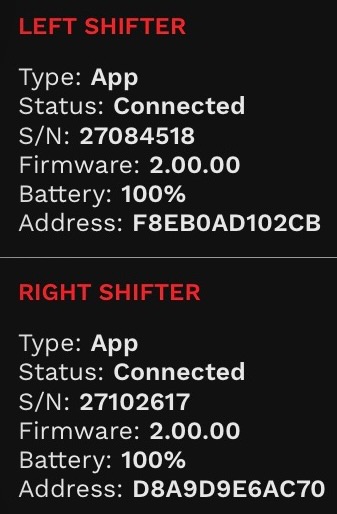
- Repeat the above steps to pair the second shifter if needed
Android Device
- Make sure Bluetooth is available on your phone or tablet
- Make sure your Proton is plugged in and turned on
- Open the Wattbike Hub app
- Select the overflow menu on the top right-hand corner (3 dots)
- Select 'Known Wattbikes'
- Select the serial number of your Proton
- After the app has connected to your Proton (after a few seconds the ring will turn green), click 'Show advanced settings'
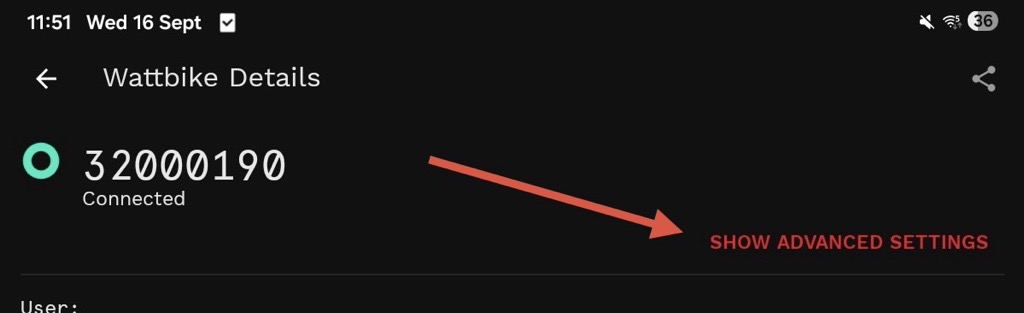
- Click 'Pair New (Right or Left) Shifter' for the shifter you want to replace (only pair one shifter at a time)
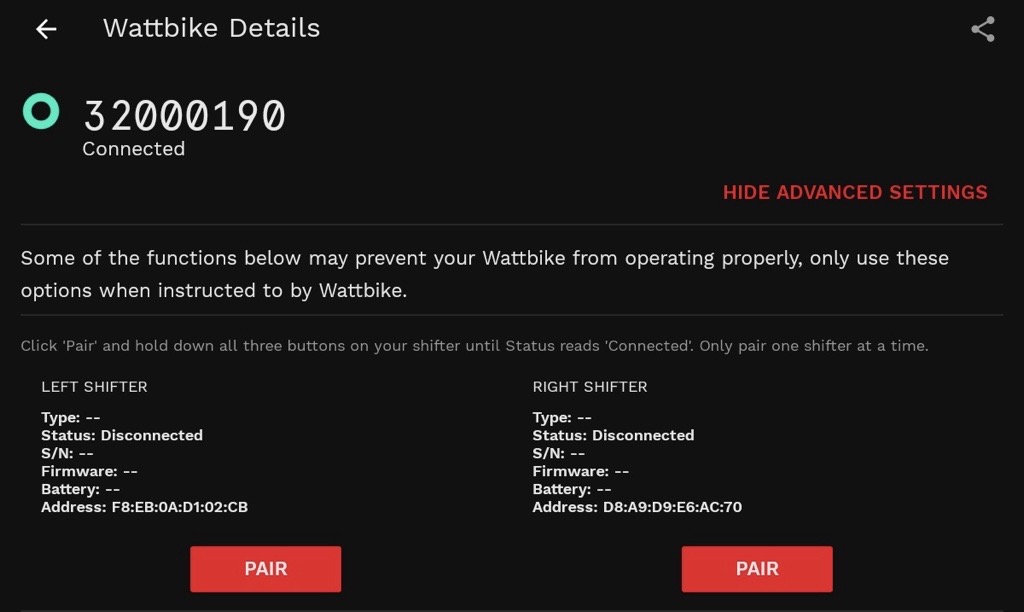
- Hold down all 3 buttons on the shifter for 20 seconds
- No pop-up notification will be displayed on screen but you will notice the 'Status' value will change to 'Connected' and your shifter will now be paired
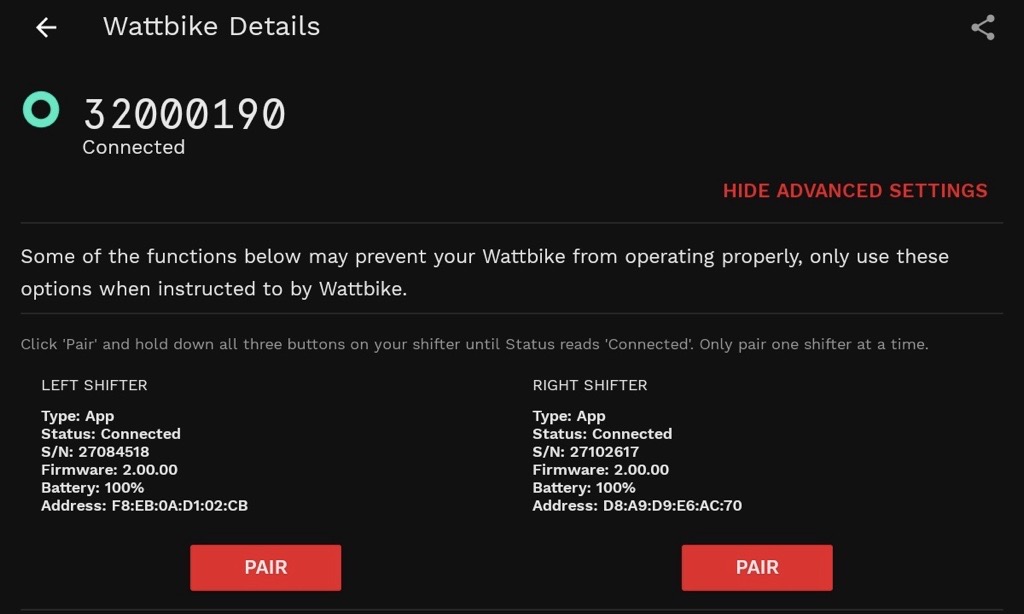
- Repeat the above steps to pair the second shifter if needed